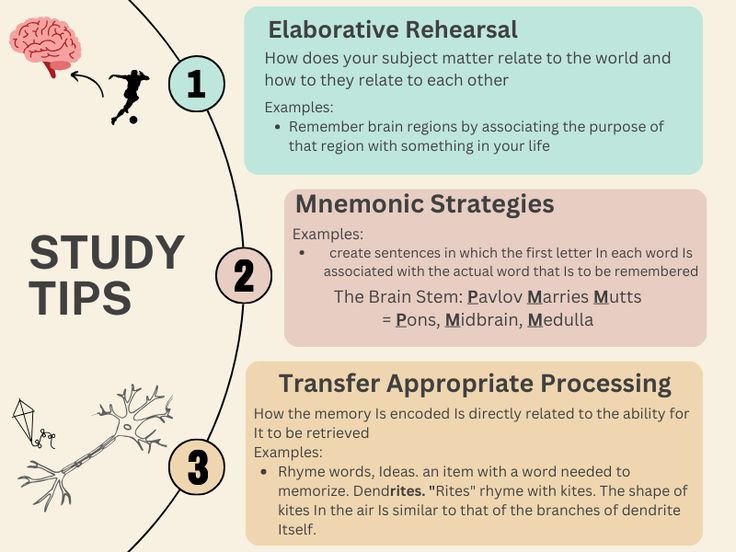
As a student or professional, you’ve probably found yourself drowning in information—lecture slides, meeting notes, research papers, or random ideas that pop into your head during a commute. I’ve been there, scribbling furiously in a notebook only to realize later that I can’t make sense of my handwriting or, worse, I’ve forgotten why I wrote something down in the first place. Taking notes isn’t just about jotting things down; it’s about capturing ideas in a way that makes them useful later. That’s where smart note-taking comes in—a deliberate, organized approach to recording, organizing, and revisiting information to boost productivity, creativity, and learning.
In this post, I’ll walk you through six of the best note-taking systems that have transformed how students and professionals manage information. These systems aren’t just about writing better notes—they’re about thinking better, working smarter, and turning fleeting thoughts into actionable insights. Whether you’re a student cramming for exams or a professional juggling projects, there’s a system here for you. Let’s dive in!
Why Smart Note-Taking Matters
Before we get to the systems, let’s talk about why note-taking is such a game-changer. Studies show that effective note-taking improves comprehension and retention by up to 30%. But it’s not just about remembering facts—it’s about creating a system that works like an extension of your brain. Smart notes help you:
- Organize your thoughts: Turn chaos into clarity.
- Spark creativity: Connect ideas in unexpected ways.
- Save time: Stop searching for that one note you swear you wrote down.
- Boost productivity: Spend less time reviewing and more time doing.
I remember my college days, sitting in lectures, frantically trying to write down every word the professor said. By the end, I had pages of notes but no real understanding of the material. It wasn’t until I started experimenting with structured systems that I realized note-taking could be a tool for learning, not just a chore. Below, I’ve outlined six systems that can help you take smarter notes, tailored for students and professionals alike.
1. The Cornell Note-Taking System: Structure for Clarity
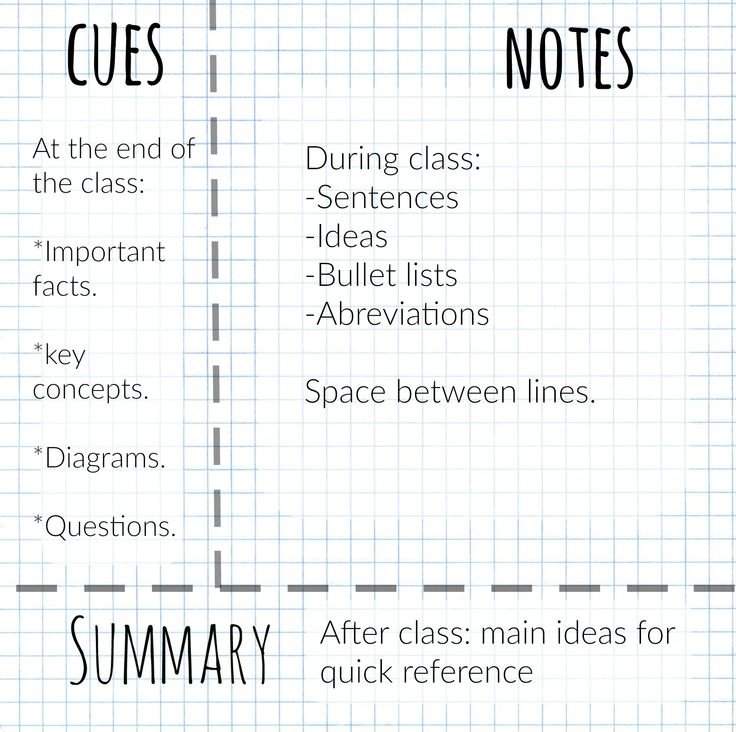
The Cornell Note-Taking System is a classic, developed by Dr. Walter Pauk at Cornell University in the 1940s. It’s perfect for students attending lectures or professionals in meetings who need a clear, organized way to capture and review information.
How It Works
Divide your page into three sections:
- Cue Column (left, about 2.5 inches wide): Jot down keywords, questions, or prompts that summarize the main ideas.
- Note-Taking Column (right, about 6 inches wide): Write detailed notes during the lecture or meeting.
- Summary Section (bottom, about 2 inches): After the session, write a summary of the key points.
Why It’s Smart
The Cornell system forces you to process information twice—once when you take notes and again when you summarize. This active engagement boosts retention. Plus, the cue column makes it easy to quiz yourself later, which is gold for exam prep or project reviews.
My Experience
I started using Cornell notes during my sophomore year, and it was a lifesaver for history classes. The cue column helped me turn dense lectures into bite-sized questions I could test myself on. For professionals, this system works great for meetings where you need to distill action items quickly.
Tips for Success
- Use bullet points or shorthand in the note-taking column to keep up with fast-paced lectures.
- Review your summaries within 24 hours to lock in the material.
- Try digital tools like OneNote or Notion, which have Cornell-style templates.
2. The Zettelkasten Method: Building a Knowledge Network
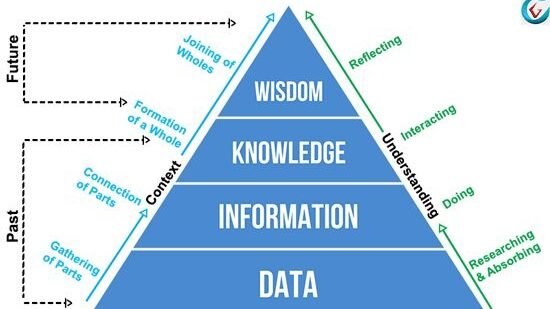
The Zettelkasten (German for “slip-box”) method is a favorite among researchers, writers, and anyone who wants to connect ideas over time. Popularized by sociologist Niklas Luhmann, this system is like a personal Wikipedia for your brain.
How It Works
- Write each idea on a separate note (physical index cards or digital notes in apps like Obsidian or Roam Research).
- Assign each note a unique ID (e.g., 1A, 1B, 2A1).
- Link notes to related ideas using cross-references.
- Organize notes in a way that lets you “follow” connections, like a choose-your-own-adventure book.
Why It’s Smart
Zettelkasten isn’t just about storing information—it’s about creating a web of knowledge. By linking ideas, you uncover patterns and insights you might miss in a linear notebook. It’s ideal for long-term projects, research papers, or brainstorming.
My Experience
I started a digital Zettelkasten for my blog ideas, and it’s been a game-changer. One note about “productivity hacks” linked to another about “time-blocking,” which sparked a post I hadn’t planned. It feels like having a conversation with your past self.
Tips for Success
- Start small—don’t overwhelm yourself by trying to link every note at once.
- Use tags to group related ideas (e.g., #productivity, #writing).
- Review your Zettelkasten regularly to refine connections.
3. The Bullet Journal Method: Creativity Meets Organization

The Bullet Journal (BuJo) method, created by Ryder Carroll, is a flexible, analog system that blends note-taking with planning. It’s great for students juggling assignments or professionals managing multiple projects.
How It Works
- Use a single notebook for everything—notes, tasks, events.
- Create an index at the front to track pages.
- Use symbols (e.g., • for tasks, ○ for events, – for notes) to categorize entries.
- Include modules like a monthly log, daily log, or collections (e.g., a list of books to read).
Why It’s Smart
Bullet Journaling combines creativity with structure, letting you customize your system. It’s perfect for visual learners who love doodling or sketching alongside notes. Plus, it keeps everything in one place, reducing mental clutter.
My Experience
I tried Bullet Journaling during a hectic semester when I was balancing classes and a part-time job. Drawing little trackers for assignments made me feel in control, and the act of writing by hand helped me process information better. Professionals can use it to track meeting notes alongside project deadlines.
Tips for Success
- Keep it simple—fancy spreads are fun but time-consuming.
- Use a dot-grid notebook for flexibility.
- Check out digital BuJo apps like GoodNotes for a paperless option.
4. The Outline Method: Simplicity for Structured Thinkers
The Outline Method is straightforward and ideal for students in structured classes like science or law, or professionals who need to organize detailed reports.
How It Works
- Start with main topics as headers (e.g., Roman numerals: I, II, III).
- Add subtopics under each header (e.g., A, B, C).
- Include details under subtopics (e.g., 1, 2, 3).
- Keep it hierarchical and indented for clarity.
Why It’s Smart
The Outline Method organizes information logically, making it easy to review and study. It’s especially useful for subjects with clear hierarchies or when preparing presentations.
My Experience
I used the Outline Method for a biology class where the material was dense and layered. Breaking it down into main topics (e.g., “Cell Structure”) and subtopics (e.g., “Mitochondria”) helped me see the big picture and the details at once. Professionals can use this for meeting agendas or project plans.
Tips for Success
- Use indentation consistently to avoid confusion.
- Highlight key points with colors or symbols.
- Try digital outlining tools like Workflowy for searchable notes.
5. The Mind Mapping Method: Visualizing Connections

Mind Mapping is a visual note-taking system that’s perfect for brainstorming, creative projects, or understanding complex topics. It’s great for students studying interconnected subjects or professionals planning strategies.
How It Works
- Start with a central idea in the middle of the page.
- Draw branches to related subtopics.
- Add smaller branches for details, using colors, images, or symbols.
- Let the map grow organically as you connect ideas.
Why It’s Smart
Mind Mapping mirrors how your brain naturally processes information, making it easier to recall and connect ideas. It’s also fun and engaging, which keeps you motivated.
My Experience
I used a mind map to plan a marketing project at work, starting with “Campaign Goals” in the center and branching out to “Target Audience,” “Channels,” and “Metrics.” The visual format helped me pitch the idea to my team clearly. Students can use this for essay planning or revision.
Tips for Success
- Use a large sheet of paper or digital tools like XMind or MindMeister.
- Keep branches short and use keywords, not sentences.
- Experiment with colors to make the map memorable.
6. The Digital Inbox Method: Streamlining Digital Notes

The Digital Inbox Method is a modern system for those who prefer digital tools like Evernote, Notion, or Google Keep. It’s ideal for students and professionals who work across devices and need a centralized system.
How It Works
- Create a single “inbox” note or folder for all incoming ideas, notes, or tasks.
- Regularly process the inbox, sorting notes into categories (e.g., “Work,” “Study,” “Personal”).
- Tag notes for easy retrieval (e.g., #meeting, #research).
- Archive or delete notes once processed.
Why It’s Smart
This method keeps your digital workspace clutter-free and ensures no idea gets lost. It’s perfect for managing multiple projects or studying across subjects.
My Experience
I started using a digital inbox in Notion during a busy period at work. I’d dump everything—meeting notes, article ideas, random thoughts—into one place, then sort them on Sundays. It felt like decluttering my brain. Students can use this to manage lecture notes and assignments in one app.
Tips for Success
- Set a weekly time to process your inbox.
- Use consistent tags for quick searches.
- Sync your notes across devices for accessibility.
Choosing the Right System for You
With so many options, how do you pick the best note-taking system? Here’s a quick guide:
- Cornell: Best for lectures, meetings, or structured content.
- Zettelkasten: Ideal for researchers, writers, or long-term knowledge building.
- Bullet Journal: Great for creative types who want flexibility.
- Outline: Perfect for logical, hierarchical information.
- Mind Mapping: Excellent for visual learners and brainstorming.
- Digital Inbox: Best for tech-savvy users managing digital notes.
Try experimenting with a couple of systems to see what feels natural. You might even combine them—like using Cornell for lectures and a digital inbox for random ideas. The key is consistency: stick with a system long enough to refine it to your needs.
Final Thoughts: Make Note-Taking Your Superpower
Taking smart notes isn’t just about writing things down—it’s about creating a system that amplifies your thinking and productivity. Each of these six systems offers a unique way to capture, organize, and use information effectively. Whether you’re a student aiming for better grades or a professional looking to stay on top of your game, there’s a method here that can work for you.
I’ve found that the real magic happens when you tailor a system to your life. For me, combining a digital inbox with occasional mind maps has been a game-changer for staying organized and creative. What about you? Which system are you excited to try? Drop a comment below, and let’s keep the conversation going!
Happy note-taking,
The Collagetop Team